Two dates, two meanings
A milestone records the original commitment. An issue has its own resolution target. Moving the latter must not hide the former.
Project Control / Internal business system
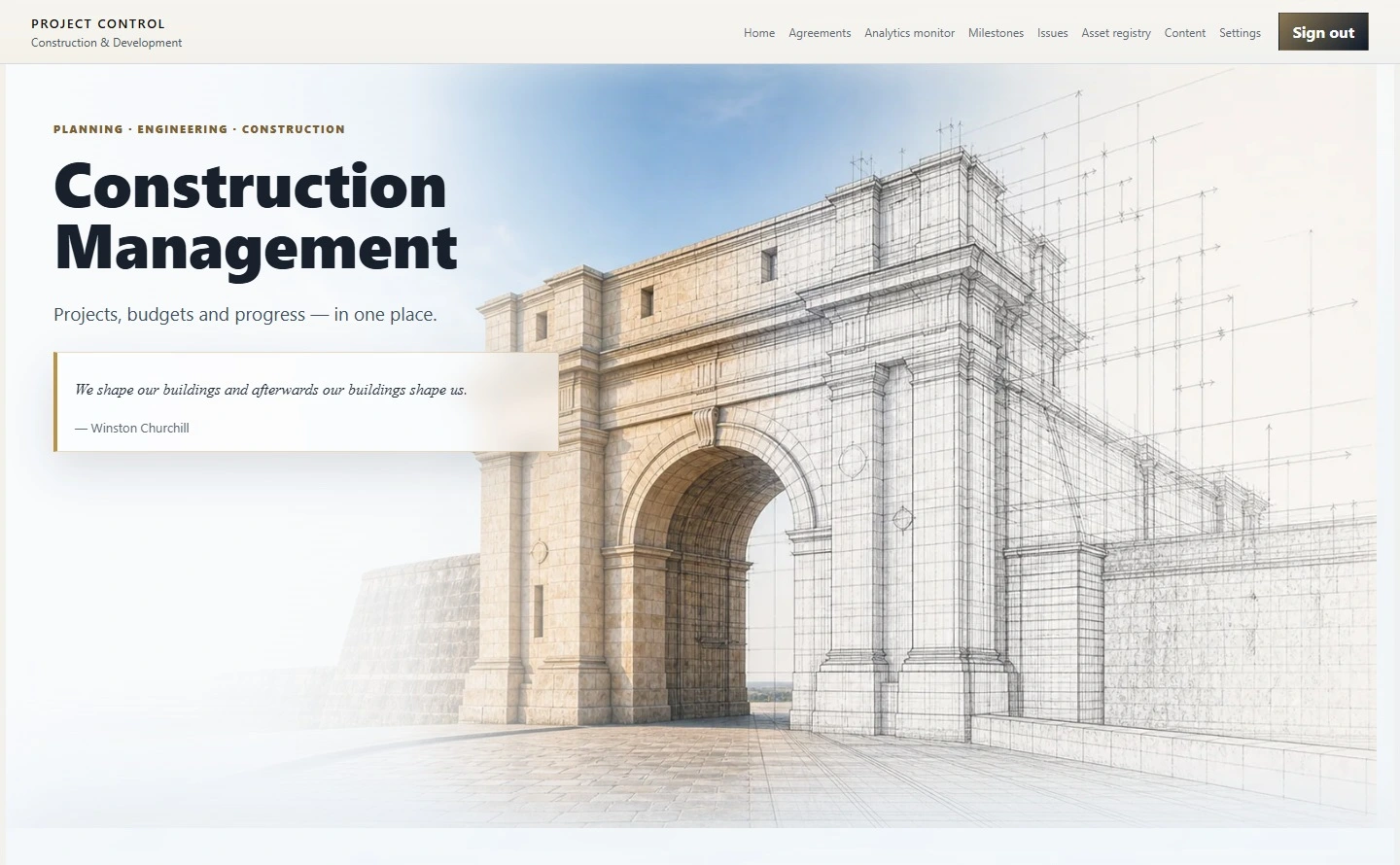
PROJECT CONTROLFor project managers and project offices, the overview is only the start. Project Control lets you review programmes, portfolio leads and departments, then follow a project into its workstreams, finances, issues and supporting records.
 Enlarge the screen
 The screens use an isolated example dataset. Northbank School, the people and the documents illustrate the real system’s behaviour.
The working need
The same portfolio can be reviewed by programme, by the person responsible for it or by department. Each view leads to the projects and their workstreams, assets, financial records and issues. Documents and reports make the basis of a status or a total available for review.
In a project review, the portfolio overview should lead to a useful decision: which project needs attention, who should act, and which records support the next step? Linked records make that path visible.
One workflow / An example in detail
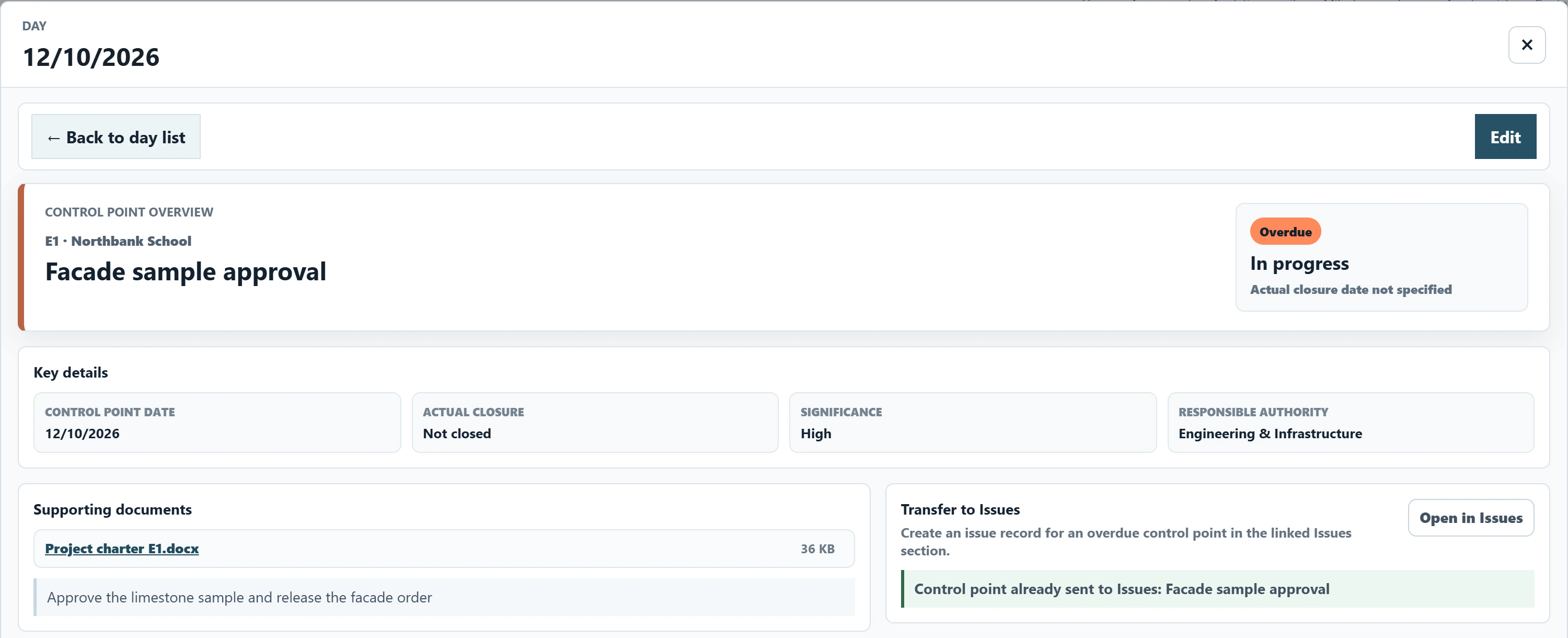
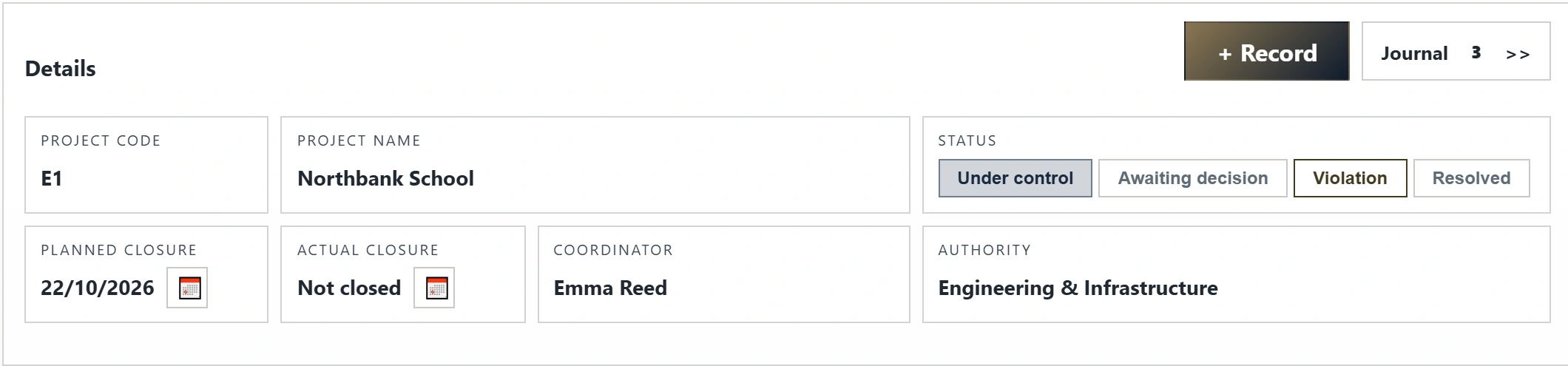
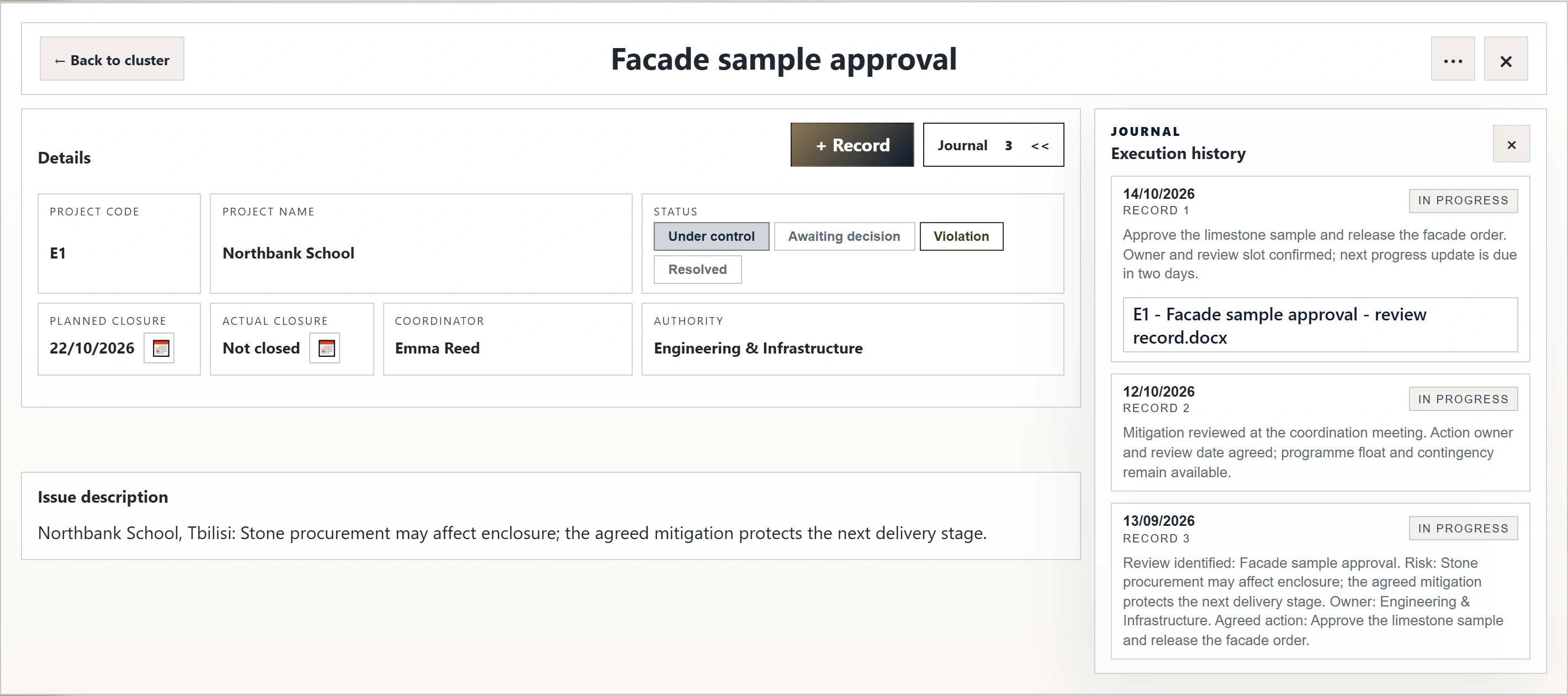
The E1 example follows an outstanding facade sample approval from the project overview to its milestone, linked issue and review document. The issue remains open in this recorded state; a recovery date is not a completed approval.
A guided process walkthrough using actual English interface captures and an isolated example dataset recorded in October 2026. Switch steps and enlarge the screens to inspect the evidence; this is not a live application session.
Project lead
Who acts nextThe project lead follows the outstanding commitment with its coordinator.
Project coordinator
Who acts nextThe linked issue carries the discussion of how to resolve the outstanding approval.
Issue coordinator and responsible authority
Who acts nextThe coordinator and responsible authority work from the same issue record.
Coordinator and responsible authority
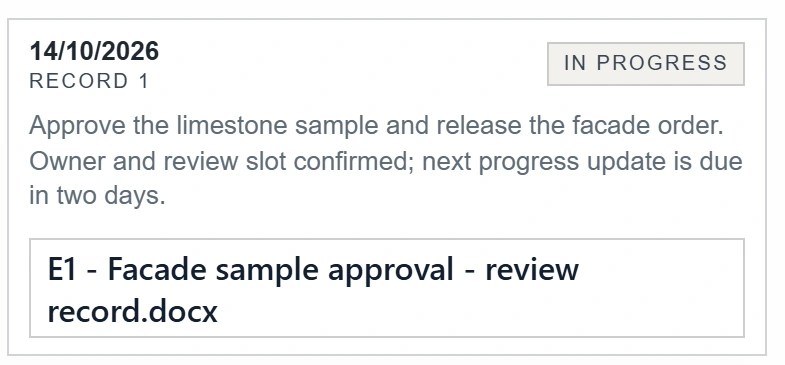
Who acts nextThe responsible party can record the next substantive update against this plan.
 Enlarge the screen
 Contributor and coordinator
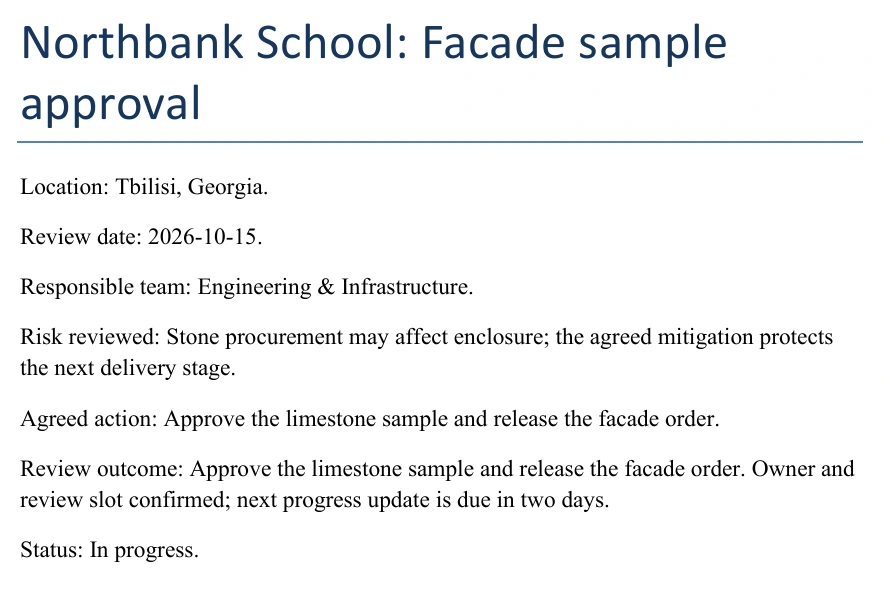
Who acts nextThe coordinator opens the document to examine what it actually supports.
Project reviewer
Who acts nextThe next decision remains with the people responsible; the system keeps its context and evidence accessible.
 Enlarge the screen
 Download the review record ↓ DOCX · 37 KB
Example DOCX from the prepared dataset. It supports the walkthrough; it is not an organisation’s working document.
The handover stays connected.
Choose a point in the process to see the related screen. People decide and take responsibility; the system connects the records needed to do so.
A milestone records the original commitment. An issue has its own resolution target. Moving the latter must not hide the former.
An issue theme can span projects while each project keeps its own responsible parties, status and dates. A common discussion does not erase local accountability.
Journal entries and documents remain in the context of the working record, so the next reviewer can inspect the basis of an update.
Project indicators and reports can be checked against their underlying records. Physical progress, annual results, commitments and financial execution retain their separate meanings.
An issue theme can span projects while each project keeps its own responsible parties, status and dates. A common discussion does not erase local accountability.
 Enlarge the screen
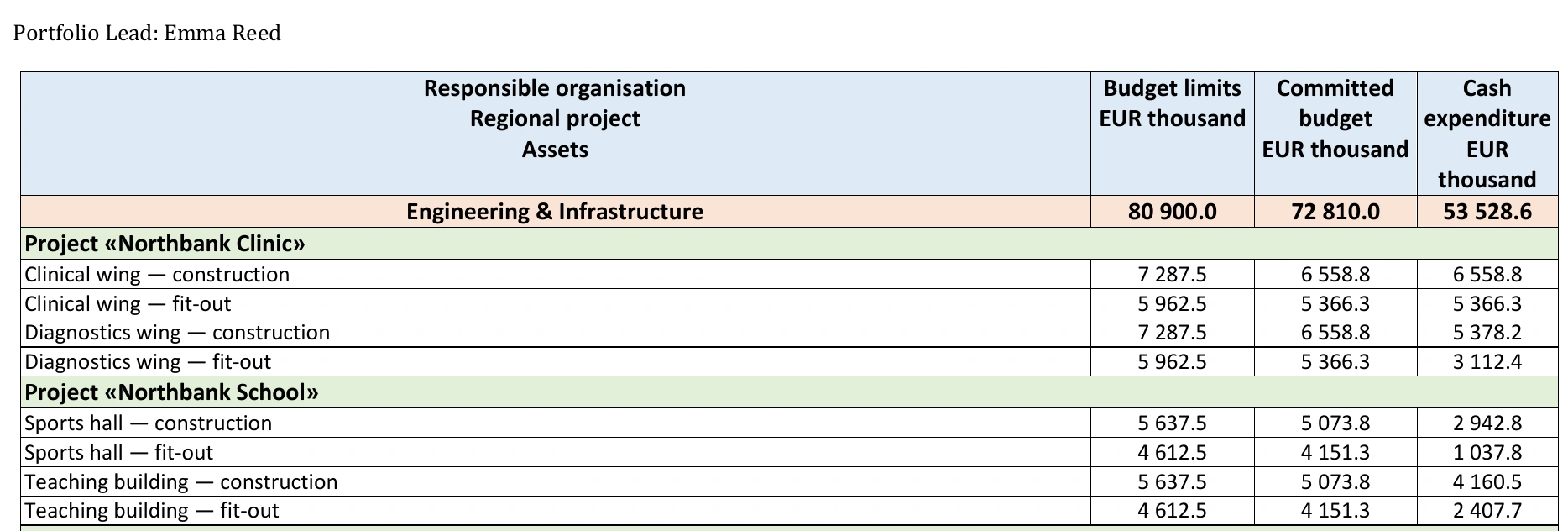
 The same Northbank School example also shows how financial totals can be checked. The Structure and limestone envelope workstream has an allocated budget of 11,275 in EUR thousand. In the report, its two construction assets each show 5,637.5: together, the same allocation. Committed budget and cash expenditure are separate columns. Rounded report values are not exact source amounts.
 Enlarge the screen
  Enlarge the screen
 From need to use
Requirements, data structures and day-to-day workflows were developed together. The system was introduced into project-office work and refined as new requirements emerged.
Define the questions people need to answer, the responsibilities involved and the records required for project reviews.
Design requirements, architecture, the data model and business rules connecting projects, milestones, issues and documents.
Guide implementation, integrate the parts and review whether the resulting behaviour meets the working requirements.
Bring the system into internal use, verify results and continue making improvements as the work develops.
PROJECT CONTROL
A working internal system, with connected records that support project reviews.
The implementation uses React and TypeScript, Django and Django REST Framework, PostgreSQL, and an integration boundary with Microsoft SQL Server. The isolated portfolio profile uses PostgreSQL and example data.
Example DOCX from the prepared dataset. It supports the walkthrough; it is not an organisation’s working document.
Download the review record ↓For your organisation
Tell us where work becomes difficult to follow: monitoring, approvals, responsibility or reporting. Start with one recurring process and the decision people need to make.
Discuss a similar system